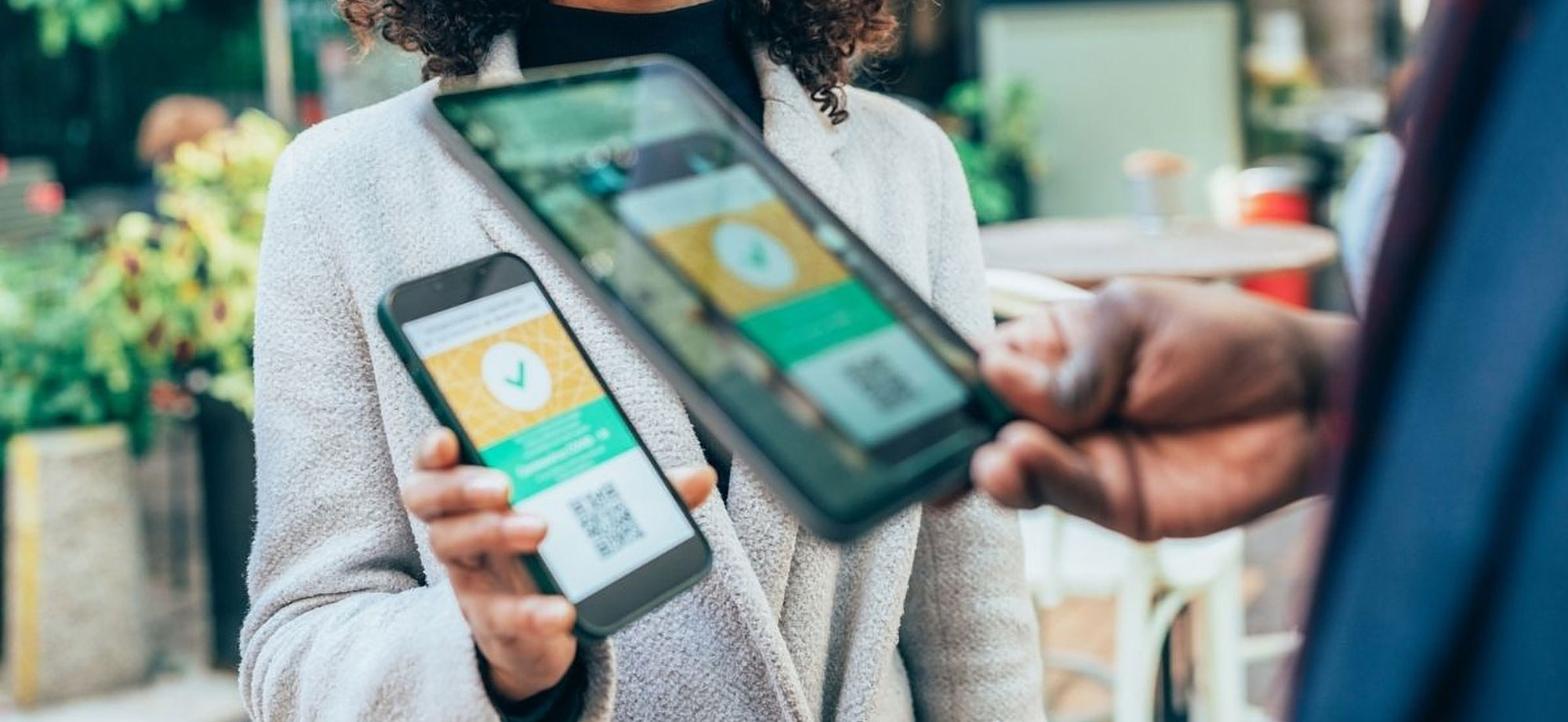
Guest checking in at an event with a QR code on her phone

Case study · NexGuest

An event management app for companies that run their own events

NexGuest is Epicdev’s own events app, and a full event management app development project: we designed and built it from the brand up, so that organisers can import a guest list, send QR invites, check guests in on any phone and walk away with a report, without hiring an events company.

Tell us about your project Mobile app development
  • iOS & Androidplus a web app
  • Brand to APIdesigned and built by Epicdev

Synced to every door device
2

Mobile platforms from one Flutter codebase

5

Steps from guest list to final report

Live

Arrivals synced to every linked device

3

Parts built: mobile app, web app and API

About NexGuest

Companies host a lot of smaller events, from launches and training days to year-end functions of 80 to 120 guests. They’re too small to justify an events company, but they still need to run smoothly and look professional.

Guest management apps exist, but they’re built and priced for overseas markets, so most teams fall back on spreadsheets, printed lists and clipboards. NexGuest gives them a professional front door they can run themselves. It’s now in its final stages of development.

Our role

NexGuest is our own product, so we did everything:

  • the brand: logo, colours and visual identity
  • UX designs for every mobile and web screen, and a prototype of the flow
  • the UI design
  • the Flutter app for iOS and Android
  • the web app, in Vue.js with the Vuetify UI framework
  • the API and MongoDB database behind both apps

Event management app development, from brand to build

We took NexGuest from an idea to a working product in the same order we run a client’s app project: get the identity and the flow right first, then write the code.

  1. Brand

    A name people remember

    We designed the NexGuest identity: the petal logo and the colour palette that carries through every screen of the app.

  2. UX design

    Every screen, mapped and prototyped

    We designed the UX for all the mobile and web app screens, then prototyped the flow so it could be tested and refined before any code was written.

  3. UI design

    An interface you read at a glance

    The approved flows became a clean, consistent interface that door staff can use without training, even in a busy foyer.

  4. Development

    The apps and the API

    We built the iOS and Android app in Flutter, the web app in Vue.js with Vuetify, and the API and MongoDB database that keep every device in sync.

Five steps, one app

Everything an organiser needs, from the first name on the guest list to the last line of the report.

  1. Create the event

    Name, dates, capacity, check-in rules and guest types such as VIP, delegate, media or staff.

  2. Build the guest list

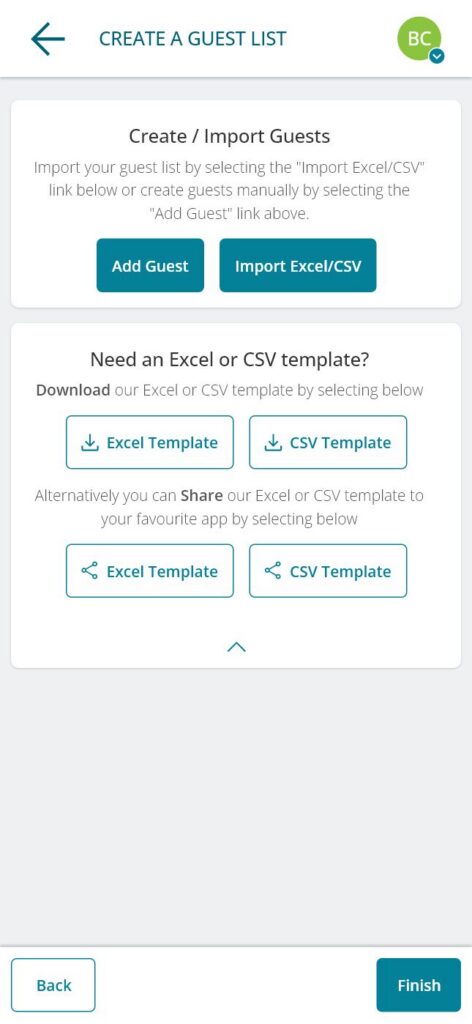
    Import from Excel or CSV, or add guests by hand. Add custom fields like dietary needs.

  3. Send invites

    NexGuest emails each guest a QR code, or the codes are exported for the organiser’s own mailer.

  4. Check in on the day

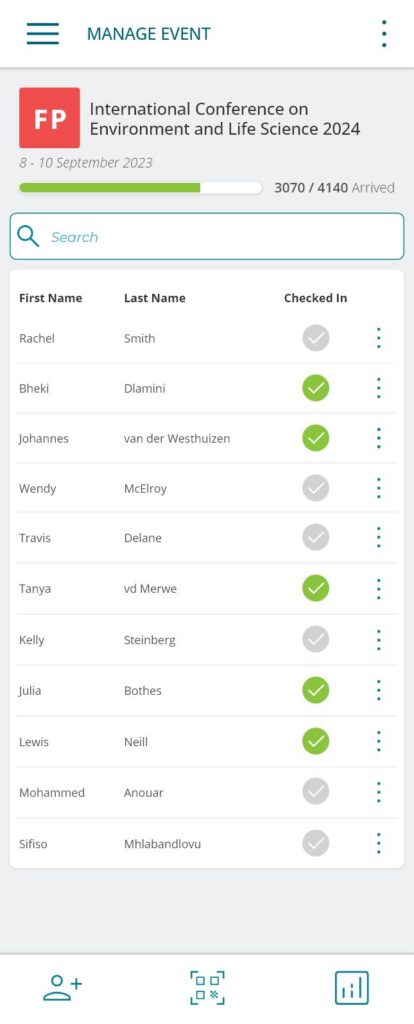
    Scan QR codes or search by name, register walk-ins and print badges, on as many linked devices as needed.

  5. Report

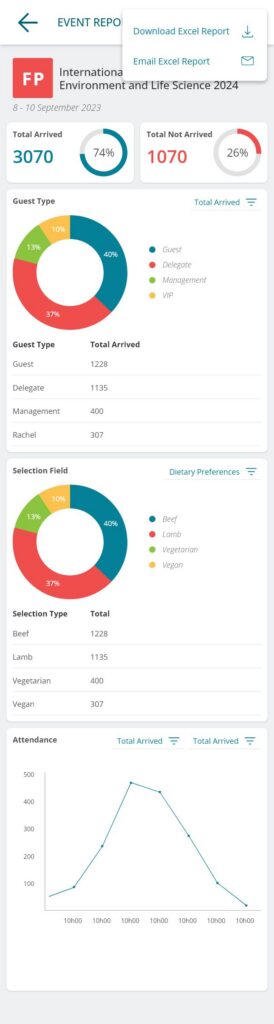
    Live arrivals, breakdowns by guest type and custom field, and attendance over time, exported to Excel.

Once you know your way around, an event is set up in under ten minutes.

What we built

Two apps on one platform. Whatever happens on a phone at the door shows up on every other device and in the web app straight away.

  • Mobile appA Flutter app for iOS and Android, used by organisers and door staff on the day.
  • Web appA Vue.js and Vuetify app for big guest lists, badge templates and data exports on a bigger screen.
  • API and databaseThe API behind both apps, running on MongoDB, keeping every device in sync.
  • IntegrationsBadge printers, QR invite emails and in-app purchases of event credits.
Two apps, one platformA Flutter mobile app and a Vue.js web app connect to one API, which runs on MongoDB and drives badge printers, QR invite emails and in-app purchases.Where organisers and door staff workMobile appWeb appFlutter · iOS & AndroidVue.js · VuetifyNexGuest APIEvents · guests · check-ins · reportsMongoDBBadge printersQR invite emailsIn-app purchasesData, devices and services, connected

Inside the app

The screens we designed and built, from the first launch to the final report. Screens show sample data.

  1. Welcome screen of an event management app

    Welcome

    A clean, branded first impression.

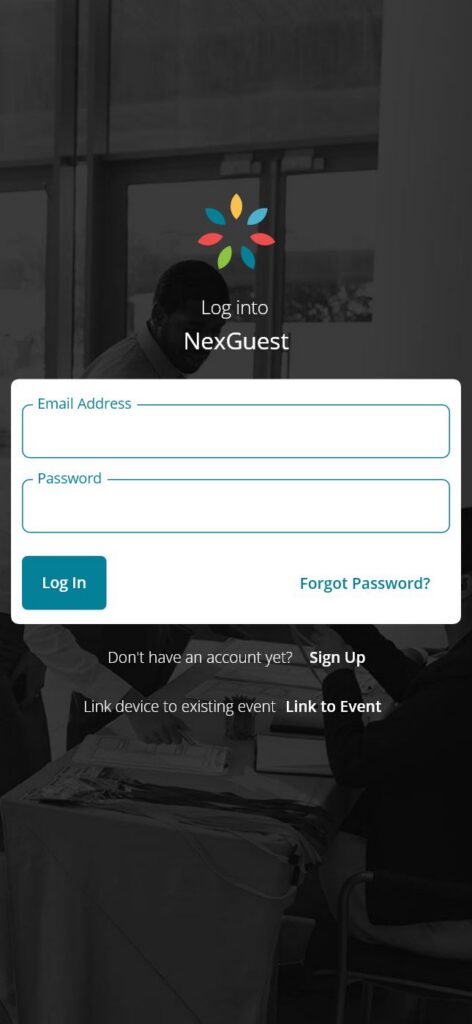
  2. Log-in screen with the option to link a device to an event

    Log in or link a device

    Door staff can link a phone straight to an existing event.

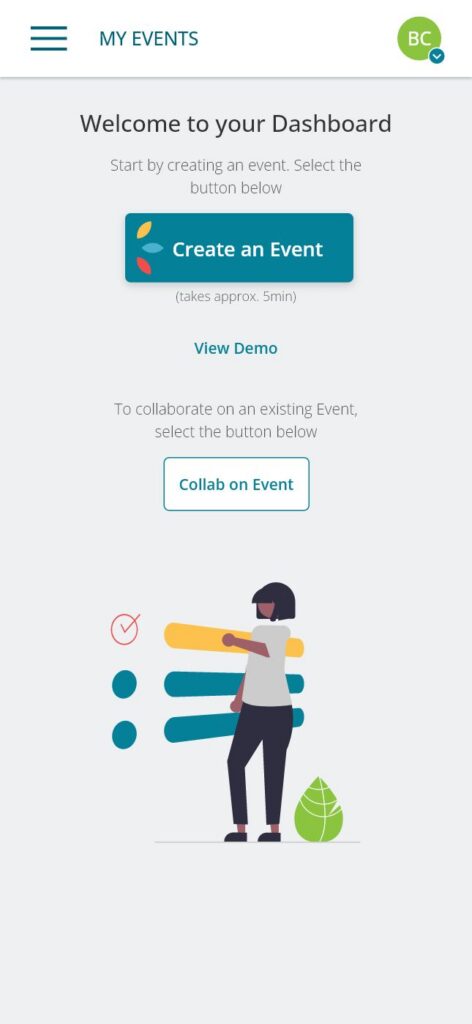
  3. Event app dashboard before the first event is created

    First-run dashboard

    Create an event, view a demo or collaborate on one.

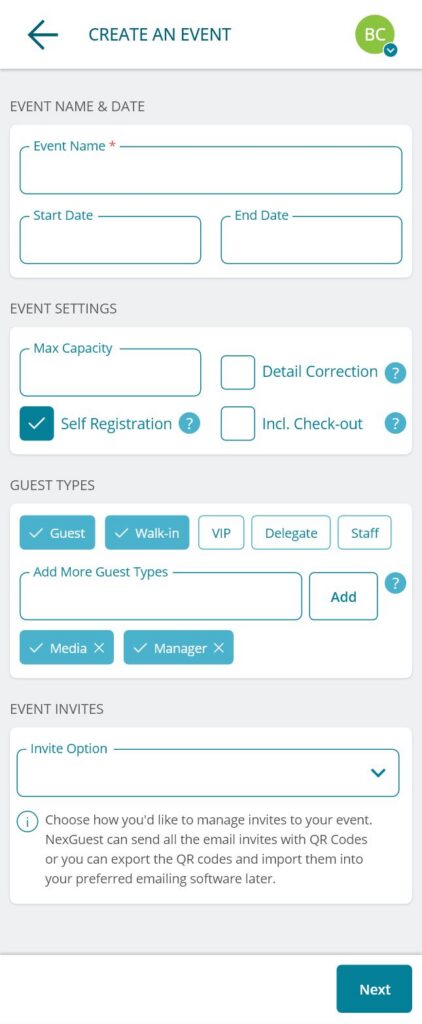
  4. Create an event form in an event management app

    Create an event

    Dates, capacity, check-in rules, guest types and invites on one form.

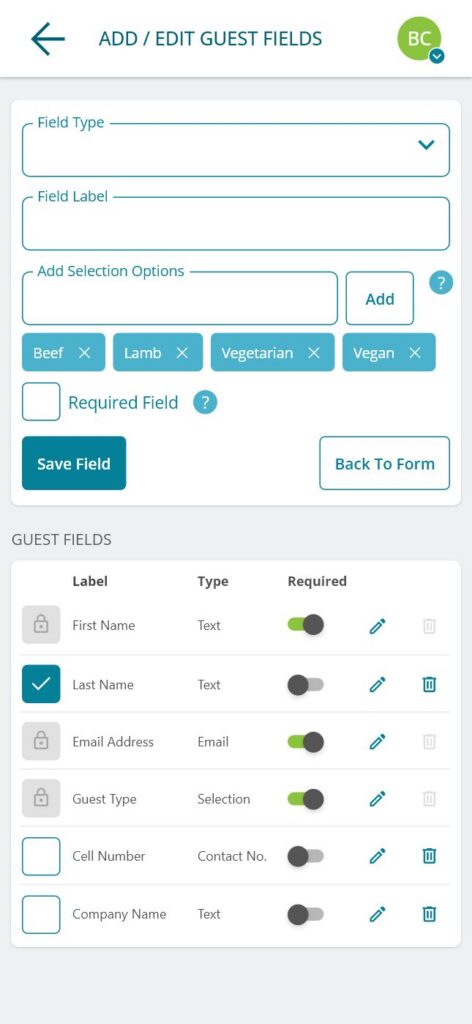
  5. Custom guest fields screen with meal choice options

    Custom guest fields

    Text, contact or selection fields, like a meal choice.

  6. Guest list import screen with Excel and CSV templates

    Import the guest list

    Upload Excel or CSV, or share the template with a colleague.

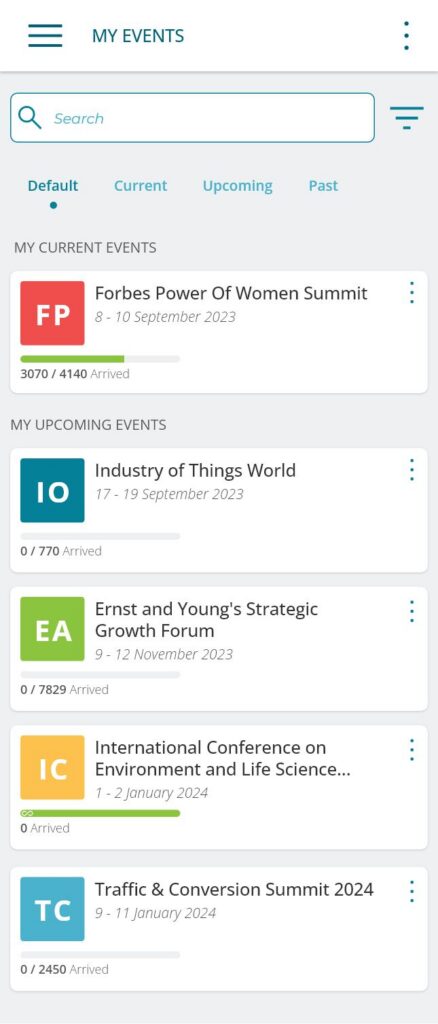
  7. List of current and upcoming events with arrival counts

    My events

    Current, upcoming and past events with live arrival counts.

  8. Event check-in list showing which guests have arrived

    Run the door

    Scan or search, and see at a glance who has arrived.

  9. Event report with arrival totals, charts and attendance over time

    Event report

    Arrivals, breakdowns by any field and attendance over time.

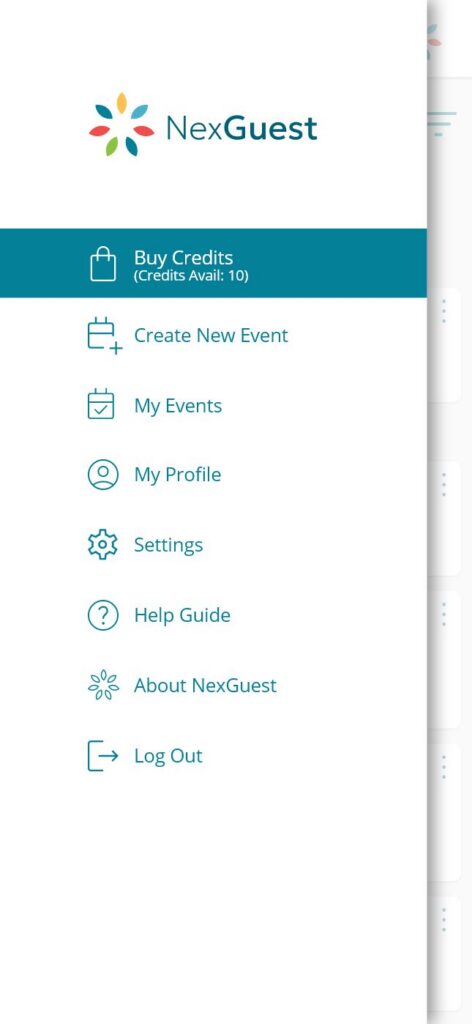
  10. App menu with the option to buy event credits

    Menu and credits

    Organisers buy credits in the app to run their events.

And on a bigger screen

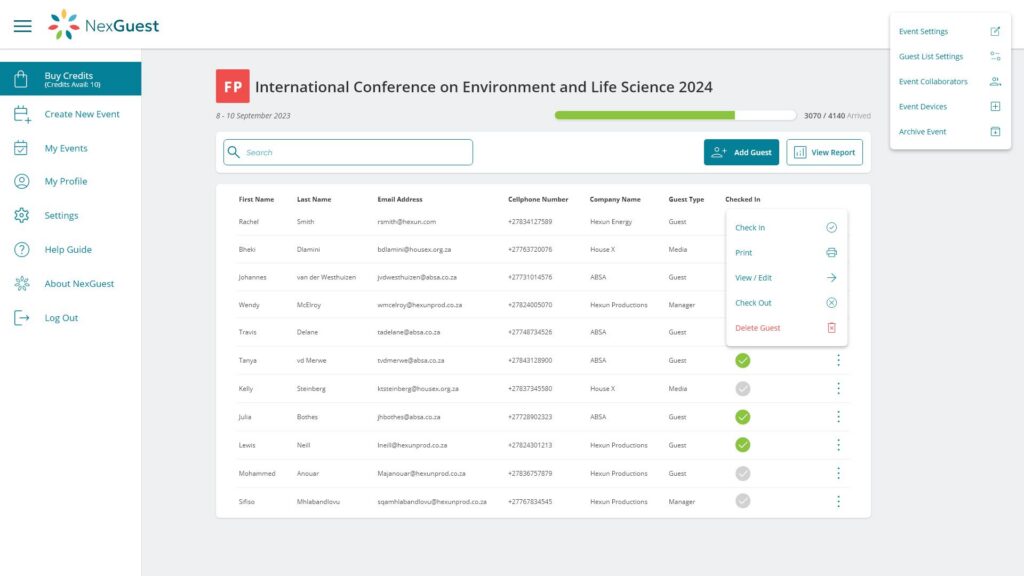
The web app opens the same events in the browser, which makes big guest lists, badge print templates and data exports easier to manage.

Web app guest list for an event

Built for speed at the front door

Speed matters most when there’s a queue. The API runs on MongoDB, so guest lookups come back fast, and the whole app has been tuned so check-in never holds up the line.

Live syncing

Every linked phone shows arrived against expected, updated the moment a guest is checked in at any door.

Fast QR scanning

Scan a guest’s QR code, or find them by name, and they’re checked in within a second.

Printer integration

Badges print as guests check in, and the app works with most popular badge printers.

One event, on every device

The same event is open in the mobile app and the web app, so an organiser can build a big guest list on a laptop and run the door from their phone.

Door staff link their phone to an event straight from the log-in screen, and teams can collaborate on the same event. Organisers buy credits through in-app purchases to run their events.

FlutteriOSAndroidVue.jsVuetifyMongoDB
Mobile app development

What it does

Event setup
Dates, capacity, self-registration, detail correction and optional check-out
Guest types
Guest, walk-in, VIP, delegate and staff, plus the organiser’s own
Guest lists
Excel and CSV import with templates, custom fields, add by hand
Invites
QR codes emailed by NexGuest, or exported for any mailer
Check-in
QR scan or name search, walk-ins and self-registration
Badges
Printed on check-in, on popular badge printers
Reports
Arrivals, breakdowns by any field, attendance over time, Excel export

What we delivered

  • A brand, UX and UI designed from scratch, with every screen prototyped.
  • A Flutter app for iOS and Android, and a Vue.js web app working on the same events.
  • Guest lists imported from Excel or CSV in one go, with QR invites sent or exported.
  • Fast QR check-in, with arrivals synced live across every linked device.
  • Badges printed on arrival, and reports ready the moment the doors close.

Have an app in mind?

We designed and built NexGuest the same way we build apps for our clients: brand, UX and UI first, then the code. If you have an idea for an app, we can take it from first sketch to launch.

Let’s build your app

Tell us what you want to build and who it’s for. We’ll come back with a plan and a quote.